Agent skills: write once, run on any coding agent
In this article
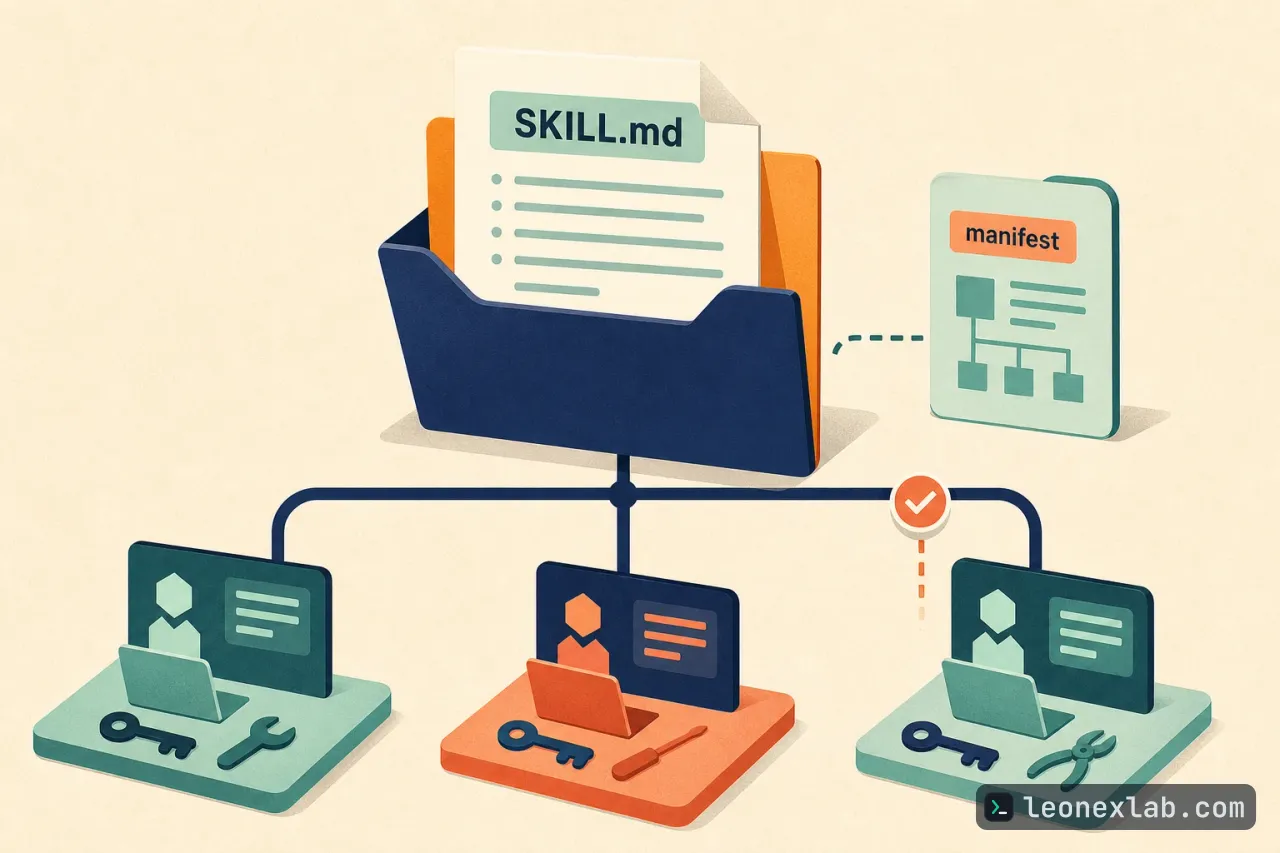
An agent skill is a way to record repeated instructions, so you no longer have to re-explain the same task to an agent or keep asking colleagues who hold a lot of internal knowledge. Structurally, a skill is a versioned folder built around a SKILL.md file that describes when and how to perform a repeated task. These instructions can be shared across multiple agents, but the environment still has to provide tools, credentials and permissions. This article compiles skill design approaches from two examples, Proof Agent and Data Forge: define a clear task, separate configuration from the skill, share an execution path and place checkpoints in the workflow.
Define a clear task and when to apply it
A skill works best when it has a clear task, input and output. The example in the source is an agent that checks AI-generated changes against the original request. If the same agent evaluates its own work, its explanation can influence the review result. That is why Proof Agent uses a separate verifier to examine the change and provide evidence for its findings. The core principle is stated concisely: self-verification is not verification. The skill's frontmatter names the task and describes its purpose:
---
name: proof-agent
description: Adversarial verification of AI-generated work. Spawns an independent verifier to check for false claims, broken code, and security issues.
---
The When to Verify section in Proof Agent's SKILL.md says when to invoke the skill. The remaining instructions explain what the verifier examines and what kind of evidence must be included in the result.
Coordinate multiple skills and separate configuration from the skill
When the judgment that makes a data pipeline correct lives in the heads of four different people, every change depends on their time and their understanding of the data. Data Forge illustrates how to record part of that judgment using skills that coordinate with one another. In the support-desk pipeline example, the original request is for metrics counting incidents created and incidents resolved. The participating skills are:
forge-init: before building the pipeline, this skill finds out details such as source tables and naming conventions, then writes them into a resolved manifest. The other skills read this manifest to get project context.
forge-builder: orchestrates work from issue to pull request. The resulting pull request contains the pipeline code, schema changes and tests.
forge-dbx: gives the other skills a single path to access the data platform. The skill reads the manifest and chooses a Databricks or DuckDB adapter, so each skill does not need to write its own connection and query logic.
forge-lint: applies the team's standards when designing and building the pipeline, providing the rules to follow before code is generated.
A person reviews the proposed decisions throughout the process. Each skill has its own responsibility and shares project context instead of rediscovering it. When a step changes, only one skill needs to be edited and the rest stay unchanged.
Project-specific names, databases and conventions should not be hard-coded into a skill. In the support-desk example, a manifest describes the project, the metric store and the platform, so the skill uses the right project details without embedding them in its instructions. With a defined manifest, the other skills do not have to make their own assumptions about the project.
project:
 name: "support-desk"
 store_name: "support_metric_store"

platform:
 engine: "duckdb"
 pipeline_framework: "spark_python"
 duckdb_dir: "warehouse"
Keep discovered details separate from the team's standards.
A pattern found in a repository is not necessarily a rule to keep, so a human needs to review, confirm or change it wherever business judgment is required.
To test portability, ask: can another team use these skills with its own manifest without rewriting them?
The manifest can choose DuckDB for a local demo, but it cannot install the DuckDB CLI and it does not grant database access. Those remain the responsibility of the environment setup and the user. The manifest chooses the engine, while the host provides the access.
Skills suit bounded, repeated work that benefits from reusable judgment, such as checklists, releases, migrations or metric pipelines. If a workflow needs a stable interface, shared state, an audit trail, long-term control or permissions enforced outside the model, an application is a better fit.
Checkpoints, approvals and per-client packaging
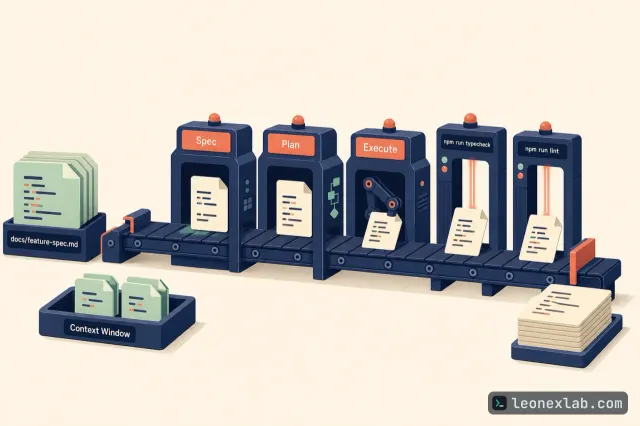
Data Forge's support-desk workflow has seven stages, each with a human checkpoint. Before a stage continues, the workflow checks that the previous stage is complete; before running a schema change, it requires approval. Proof Agent applies the same principle to code review:
A GitHub Actions workflow gives the verifier the original request and the code changes, but not the coding agent's own assessment.
The verifier returns PASS, FAIL or PARTIAL and must cite evidence in the changed files.
The GitHub Action only statically reviews the diff; it does not run code and does not run tests.
In the demo workflow, block-on-fail is set to false, so the findings are informational only. By default, a FAIL makes the check fail and blocks the merge if that check is required.
The goal is to keep test results and merge requirements in the repository's CI checks and rules.
Supporting multiple clients can mean keeping many copies of the same instructions in sync. In Data Forge, the SKILL.md files in the skills folder are the source of truth, and a packaging script generates the files specific to each client:
The .claude-plugin/plugin.json file is for Claude Code.
The .cursor-plugin/plugin.json file is for Cursor.
The .agent.md files in .github/agents are for GitHub Copilot.
This script also has a check mode to run in CI:
node scripts/package.mjs --checkClients can differ in model, tools, credentials and permissions. After installing a skill, you need to verify whether the client recognizes the skill for the right task, loads the references, can use the required tools and returns the evidence the skill demands.
Key points
A skill is a versioned folder built around SKILL.md. The instructions can be shared, but the environment still has to provide tools, credentials and permissions.
Each skill should have a clear task, input and output; Proof Agent uses a separate verifier instead of letting the agent check itself.
Put project context in a manifest and have the related skills share one platform access path.
Build checks and approvals into the workflow, and keep test results and merge requirements in the repository's CI.
With multiple clients, keep a single SKILL.md source to generate the client-specific files, then verify the setup after installation.