Context engineering and guardrails to "tame" coding agents
In this article
Coding agents such as Cursor, Windsurf, Cline or Claude Code often deliver impressive results early on, but as a project grows with many files and branching business logic, they can break working features, pull in conflicting libraries or violate the architecture. The cause lies in an unstructured way of using them, known as Unstructured Vibe Coding. The remedy is to combine Spec-Driven Agentic Coding, Context Engineering and Automated Guardrails, that is, a specify-first process, stable context supplied to the agent, and automated control barriers.
Why coding agents break the codebase
Modern agents are not unintelligent, but they operate by predicting probabilities within a Context Window, a context window of limited capacity. When users communicate without structure, the agent falls into three blind spots.
Lost in the Middle: conversations that stretch across many rounds of bug fixing cause the agent to gradually forget the architectural standards mentioned at the start of the session.
Architectural Blindness: if the boundaries between layers are not clearly stated, the agent tends to put Database queries directly in the Controller or UI Component so that the feature works as quickly as possible.
Dependency Hallucination: instead of reusing utility functions that already exist in the project, the agent writes new functions or installs additional external libraries.
Context Engineering: a context rule set for the project
Before asking AI to write any line of code, engineers should set up Static Context Rules, a fixed set of context rules, through configuration files in the root directory such as .cursorrules, .windsurfrules or CLAUDE.md. This file acts as an immutable System Prompt, forcing the agent to read and follow the project's conventions on every code-generation turn.
A .cursorrules file for a Full-stack project made up of Next.js, TypeScript, Prisma and Tailwind can be divided into four parts: core technologies and libraries, directory boundaries and architecture, coding conventions along with error handling, and an execution protocol with verification.
The technology section states clearly that Zod is used to validate all API and Form input, while Prisma ORM works with PostgreSQL.
The architecture section specifies that the src/app/ directory contains only routing, layouts and thin pages; business logic lives in src/services/; shared Zod schemas live in src/lib/validations/.
The conventions section forbids using any and requires every Server Action and API Route to be wrapped in try/catch, returning a consistent format.
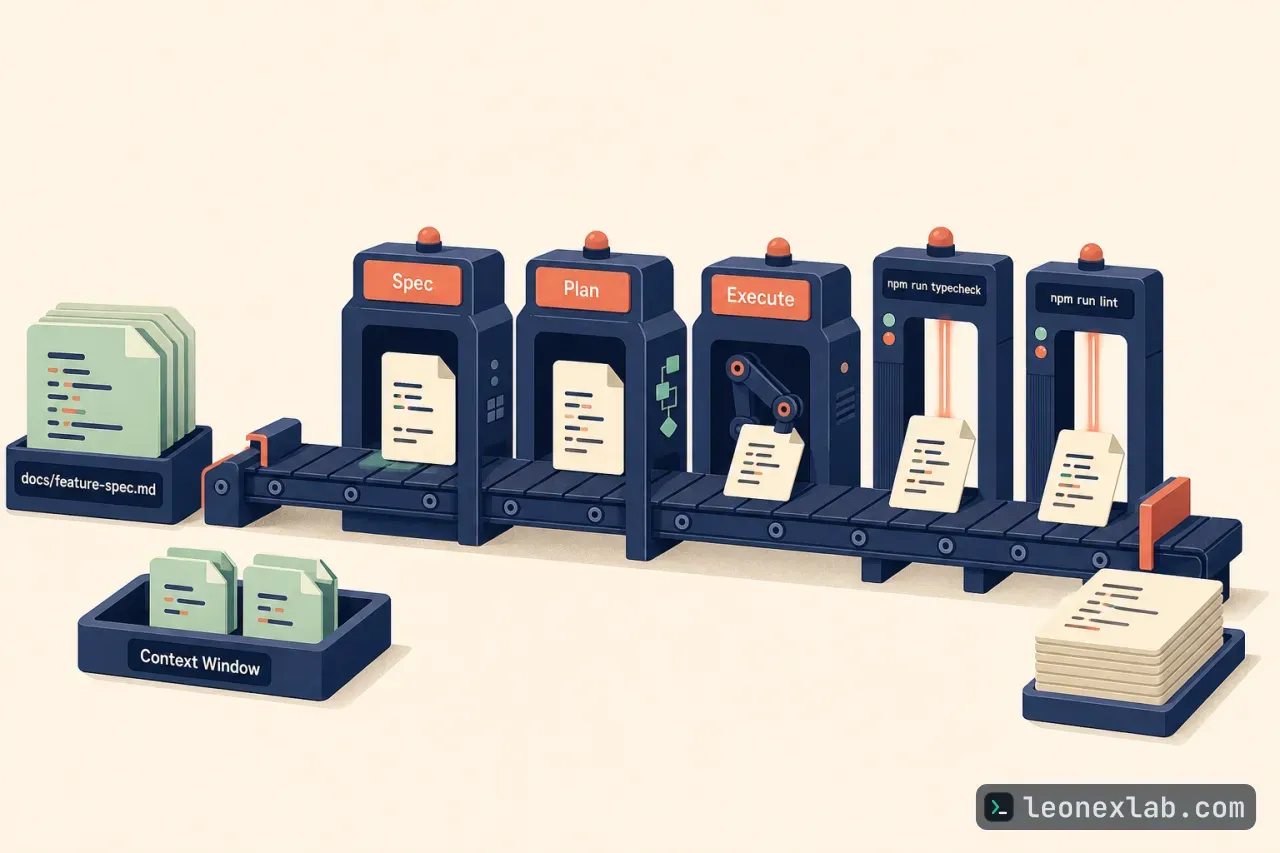
The execution section forbids installing new npm packages on its own without confirmation, and also requires running npm run typecheck and npm run lint after every edit.
- KHÔNG tự ý cài đặt thêm gói npm mới nếu chưa hỏi ý kiến và được xác nhận.
- Sau khi hoàn thành chỉnh sửa code, luôn chạy `npm run typecheck` và `npm run lint` để đảm bảo không phát sinh lỗi biên dịch.
A three-phase process: Spec, Plan, Execute
To keep the agent from working beyond the requirements, the process separates design thinking from code generation into three phases.
Requirements specification: instead of making the agent code right away, switch to Ask or Architect Mode and write the docs/feature-spec.md file together with the AI, describing the data flow from UI through API to Database, listing Edge Cases along with error states, and noting Schema changes if any.
Impact planning: once the spec is solid, ask the agent to list exactly which files need to be created or modified, briefly explain the change in each file, and not write code until the plan is approved. This list helps catch early when the agent intends to modify a sensitive core module by mistake.
Execution and self-testing: after approval, the agent starts writing code and uses the Feedback Loop from the Terminal to fix errors itself. The agent writes Unit Tests or Integration Tests alongside the feature, runs npm test or pytest on its own, reads the Stack Trace when a test Fails and fixes until all tests Pass.
Managing the Context Window and Guardrails
Even with a good process, a project still faces risk if control mechanisms are skipped. First comes context hygiene, which has two principles.
One feature, one chat session: do not reuse a single long chat window for multiple features. After finishing a module and making a git commit, open a new session to clear the agent's cache.
Proactive context tagging: use the @file or @folder syntax to specify exactly the relevant files, instead of letting the agent scan the entire project on its own and create noise.